AI for Business Operations: Automating Workflows and Reducing Manual Tasks
An operating model for connecting departments, removing avoidable handoffs and selecting AI, APIs or RPA for the work each actually fits.

AI business process automation combines interpretation with a controlled workflow: information arrives, systems are checked, work is assigned and an accountable action follows. The goal is not to place a conversational layer over every department. It is to remove specific manual handoffs without losing ownership, evidence or a reliable recovery path.
Map the process before automating a task
An operation can look efficient within each department while performing poorly end to end. Sales enters a request, finance asks for the same details, operations copies them again and nobody owns the delay between systems. Automating one copy-and-paste step may simply move the bottleneck.
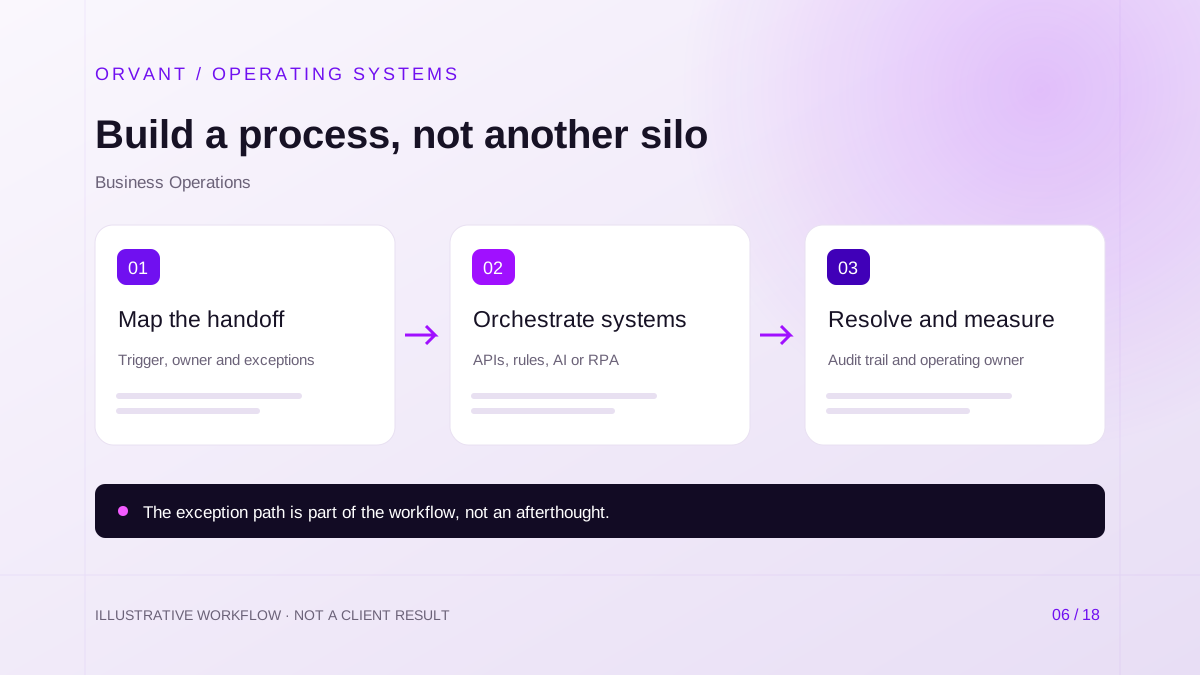
Create a process map with the trigger, input, system of record, owner, approval, output and exceptions at every stage. Record wait time separately from handling time. Remove unnecessary approvals and duplicate data collection before commissioning business process automation.
Choose rules, APIs, RPA or AI deliberately
Use deterministic rules when the condition and action are explicit, such as routing a complete request to its designated owner. Prefer supported APIs for durable system integration. RPA can perform repeatable interface interactions where a suitable API is unavailable; Microsoft's desktop flows documentation describes this form of application automation.
AI is useful when a step involves variable documents, natural language or ambiguous categories. It should return a bounded proposal or structured result. Application logic then validates that result and decides what may happen next. A purchase limit or required sign-off should not exist only inside a prompt.
Build a workflow that can fail safely
- Validate the incoming event and assign a process ID. Check whether that event has already been handled before creating another task or transaction.
- Gather permitted records, interpret unstructured input where needed and run business checks. Route missing fields, conflicting records and uncertain output to a named exception queue.
- Execute the approved action, record its result and reconcile it with the destination system. A successful API response is not always proof that the entire business process completed.
For long-running work, keep an explicit state such as waiting for approval, ready for dispatch or blocked by finance. Add retry limits, dependency alerts and a manual takeover route. Test recovery after a partial failure instead of testing only the ideal path.
Hypothetical scenario: onboarding a business customer
For example, a services company needs sales, finance and delivery to approve a new account. The workflow gathers the signed scope, validates customer identifiers and creates review tasks. AI may classify attachments or summarize requirements, while finance applies its approved checks and delivery confirms capacity.
Once approvals are complete, the system creates the account and project through supported interfaces. If project creation fails after the CRM account is created, the process remains incomplete and visible. It retries safely or requests intervention rather than creating another customer and reporting success.
Connect departments without hiding accountability
Agree on who owns shared fields and how changes propagate. Finance may own billing status while sales owns account relationships. A shared dashboard should distinguish source data from derived indicators and identify the team expected to act on each alert.
Request management, task assignment, overdue-work detection and report generation can use the same operating pattern without sharing unrestricted data. Refer to document processing for intake evidence and multi-location automation for location and legal-entity boundaries.
Requirements and operating costs
A feasible project needs stable identifiers, interface access, representative exceptions and an owner who can change the process. Include security review, integration testing, staff training, deployment, monitoring and rollback in scope. Licenses, model consumption and maintenance are recurring costs rather than one-time implementation details.
Review service-account permissions, audit access and data retention. Model or vendor updates can change behavior; retain an evaluation set and a way to pause risky actions. Staff must know how to handle the exception queue, not merely how to use the new interface.
Evaluate the first pilot
Choose a process with repeated volume, accessible evidence and manageable consequences. Establish current handling time, delay, rework and completion quality. Compare those measures after introducing the workflow, including time spent reviewing suggestions and repairing failures.
Annual time released can be estimated as verified hours saved per week multiplied by 52, with seasonality stated explicitly. Multiplying those hours by fully loaded hourly cost estimates capacity value, not necessarily cash savings. Subtract implementation, licenses, support and additional review when assessing the business case.
Questions operations leaders ask
Does every workflow need AI?
No. A stable approval or synchronization process may be better served by rules and APIs. Add interpretation only where it resolves a real ambiguity that simpler automation cannot handle reliably.
How do we avoid another disconnected system?
Keep existing business systems authoritative, define data contracts and give the workflow a clear operating owner. A new dashboard without reconciled records does not create a connected process.
What should a discovery conversation produce?
It should establish a bounded process, responsibilities, integration assumptions and a testable pilot. Discuss that starting point with ORVANT before selecting a broad enterprise AI architecture.
Sources and further reading
Official references checked on October 28, 2026. These describe capabilities or considerations, not results achieved by ORVANT.
- Microsoft: Introduction to desktop flows
Explains desktop automation as an option for repetitive application interactions.
Discuss the workflow behind your next improvement.
Bring your current process, system dependencies and operating constraints. We can discuss scope, feasibility, review controls and a practical pilot.
Discuss Your Project